
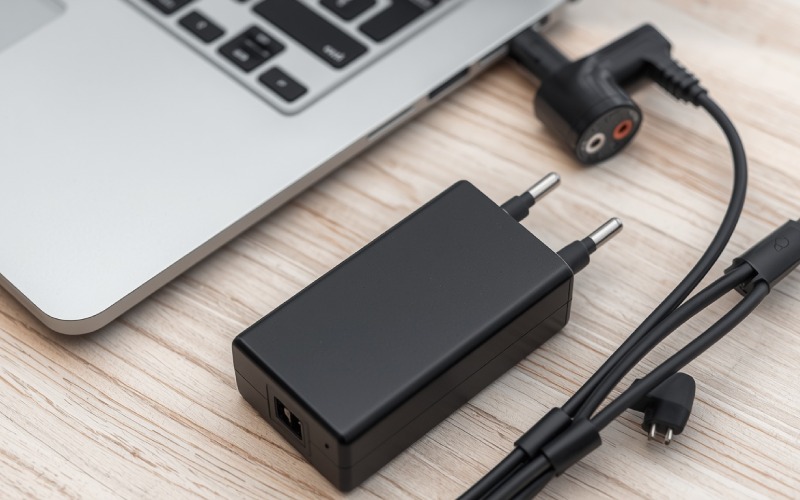
Not all laptop chargers are designed the same way. Different laptops can require different power levels, connector types, charging standards, and voltage specifications. Choosing the wrong charger can result in slow charging, charging failure, or, in some cases, electrical damage.
Today, laptop charging options range from traditional AC power adapters to USB-C Power Delivery chargers and vehicle charging solutions. Some laptops can also work with docking stations or specialized charging systems.
If you are unsure which charger your laptop needs, understanding the main types and their compatibility requirements can help you make a safer choice.
Different Types of Laptop Chargers
Laptop chargers come in several forms, and each has its own advantages and limitations. The correct option depends on your laptop model and the charging technology it supports.
Let’s look at the most common types.
1. AC Adapter
The traditional AC adapter remains one of the most common laptop charging solutions. It connects a wall outlet to the laptop through a dedicated charging connector.
The adapter converts electricity from the wall outlet into the type of power required by the laptop.
Key Features
Power Conversion: The adapter converts incoming AC electricity into DC power suitable for the laptop.
Different Wattages: Laptop adapters are available in different power ratings. Common laptop chargers may range from around 45W to 90W or more, while high-performance and gaming laptops can require substantially higher wattage.
Dedicated Connectors: Many traditional chargers use a proprietary barrel connector or another model-specific connector. The connector must match the laptop’s charging port.
How It Works
Connect the adapter to a wall outlet and plug its charging connector into the laptop. The adapter supplies the power required by the device and its battery.
The charging speed depends on the laptop’s charging system, battery condition, and the adapter’s capabilities. A charger with insufficient wattage may not charge the laptop properly, particularly when the laptop is under heavy load.
2. USB-C Laptop Charger
USB-C has become an increasingly common charging standard for modern laptops. Unlike many older proprietary connectors, USB-C is a compact, reversible connector that can support charging, data transfer, and display output depending on the device.
USB-C laptop charging commonly uses USB Power Delivery (USB PD) to negotiate an appropriate power level between the charger and the laptop.
Key Features
Compact Design: USB-C chargers are generally smaller and easier to carry than many traditional laptop power adapters.
Power Delivery: USB PD supports a range of power levels. Some USB-C chargers can provide enough power for laptops, while others are designed mainly for phones and tablets.
Multi-Device Use: A suitable USB-C charger can potentially charge a laptop, smartphone, tablet, headphones, or other compatible devices.
How It Works
If your laptop supports USB-C charging, connect a compatible USB-C cable to the laptop and a USB-C power adapter.
However, having a USB-C port does not automatically mean that a laptop supports charging through that port. Check the manufacturer’s specifications before purchasing a USB-C charger.
It is also important to check the charger’s wattage and the cable’s capabilities. A low-power USB-C charger may work for a small laptop but may be inadequate for a powerful notebook.
3. Universal Laptop Charger
A universal laptop charger is designed to work with multiple compatible laptop models rather than a single device.
Traditional universal chargers may include interchangeable connector tips that allow one adapter to work with different charging ports.
Key Features
Multiple Connector Tips: Some universal adapters come with different tips for various laptop charging ports.
Adjustable Output: Certain models allow users to select an appropriate voltage or output setting.
Multiple-Laptop Compatibility: They can be useful for households, offices, or travelers who use compatible laptops with different connector types.
How It Works
Select the connector that matches your laptop and ensure that the charger’s voltage, current, and polarity specifications are compatible with the device.
Do not assume that a universal adapter is automatically safe for every laptop. Incorrect voltage, polarity, connector size, or insufficient power can cause charging problems or damage.
For this reason, checking the laptop manufacturer’s specifications before using a universal charger is essential.
4. Car Laptop Charger
A car laptop charger can be useful when you need to power a laptop while traveling.
Depending on the design, it may connect directly to a vehicle’s 12V accessory socket or use a power inverter to provide the type of power required by the laptop.
Key Features
Portable: Car charging solutions are convenient to carry during road trips and business travel.
Useful While Traveling: They can provide a charging option when a wall outlet is unavailable.
Different Designs: Some products connect directly to a laptop, while others use an inverter that provides AC power for a standard laptop adapter.
How It Works
A vehicle’s electrical system provides DC power. A compatible car charger or inverter converts that power into a form suitable for the laptop.
Before using one, check the vehicle’s outlet rating and the laptop’s power requirements. High-performance laptops may require more power than a vehicle accessory outlet or small inverter can safely provide.
5. Wireless Laptop Charging
Wireless charging is common in smartphones and other smaller electronics, but it is not a standard charging method for most laptops.
Some specialized laptop accessories and experimental charging technologies have explored wireless power, but users should not assume that a regular laptop can be charged by simply placing it on a wireless charging pad.
Key Considerations
Limited Compatibility: Most laptops do not support conventional wireless charging.
Special Hardware Required: A laptop needs appropriate built-in hardware or a compatible accessory for wireless power to work.
Power Requirements: Laptops generally require considerably more power than smartphones, making wireless laptop charging more challenging.
How It Works
Wireless charging typically uses electromagnetic induction to transfer energy between a charging transmitter and a compatible receiver.
For laptops, however, the technology is far less widespread than wired charging. Always verify manufacturer support before purchasing a wireless charging accessory.
Laptop Charger Compatibility: What Should You Check?
Choosing a charger based only on the connector is not enough. Several specifications should be checked before purchasing.
Voltage
The charger’s output voltage should be compatible with the laptop’s requirements. Using an inappropriate voltage can cause charging problems or potentially damage hardware.
Current
The charger should be capable of supplying the current required by the laptop. A charger with insufficient current may result in slow or unreliable charging.
Wattage
Wattage is calculated from voltage and current:
Power (W) = Voltage (V) × Current (A)
For example, a 20V charger capable of supplying 3A provides up to 60W.
Connector Type
For laptops using dedicated charging ports, the connector must physically fit and electrically match the device.
With USB-C, physical compatibility is only part of the equation. The laptop and charger must support appropriate USB Power Delivery capabilities.
Manufacturer Requirements
The safest approach is to check the laptop manufacturer’s specifications or the information printed on the original charger.
Traditional Charger vs. USB-C Charger
| Feature | Traditional AC Adapter | USB-C Charger |
| Connector | Often proprietary | USB-C |
| Port compatibility | Usually model-specific | Depends on USB-C charging support |
| Portability | Varies | Generally compact |
| Multi-device use | Limited | Often supports multiple device types |
| Charging standard | Varies by manufacturer | Commonly USB Power Delivery |
| Suitable for gaming laptops | Often yes | Yes, if the laptop supports sufficient USB-C power |
Common Mistakes to Avoid When Buying a Laptop Charger
Buying a charger simply because its connector fits can be risky. Keep these mistakes in mind:
- Do not assume every USB-C port supports charging.
- Do not choose a charger based only on physical connector size.
- Do not ignore voltage and wattage requirements.
- Do not use an unknown or poorly specified adapter.
- Do not assume a universal charger works with every laptop.
- Do not use a charger that shows signs of physical damage.
- Check the cable’s power capability when using high-wattage USB-C charging.
How to Find the Right Charger for Your Laptop
If you need a replacement charger, start by identifying your exact laptop model.
Next, check the manufacturer’s recommended charger specifications. Look for information such as voltage, current, wattage, connector type, and supported charging standards.
If your laptop supports USB-C charging, verify its USB Power Delivery requirements rather than assuming that any USB-C adapter will work.
When possible, buying an original charger or a reputable compatible replacement that clearly lists the required specifications is the safest approach.
Final Thoughts
Understanding the different types of laptop chargers makes it easier to choose the right power solution for your device.
Traditional AC adapters remain common, while USB-C Power Delivery has become increasingly important for modern laptops. Universal adapters can provide flexibility when properly matched, and car charging solutions can be useful for travelers.
Wireless laptop charging, meanwhile, remains uncommon compared with wired charging.
Regardless of the charger type, compatibility should always come first. Check your laptop’s voltage, current, wattage, connector, and charging-standard requirements before buying a replacement. Choosing a properly rated charger can help your laptop charge reliably and safely.